
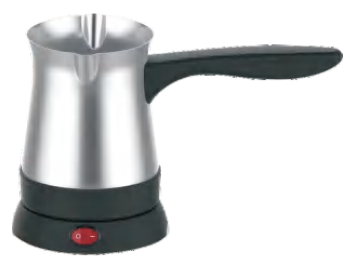
Identify which aspects of the display sample are representative and obtain evidence for the remaining configuration before approving the order.
Identify what the display sample covers
Record the full model and identify what the sample is for: appearance, handling, packaging or an agreed functional review. Ask which parts and market version are the same as the order. Catalogue vessels and electrical variants should be tied to the exact proposed configuration.
Turn every difference into an approval item
List the offered vessel finish, label, handle appearance and included power base where applicable. Match each to a sample, drawing or signed specification revision. Identify whether a market plug or brand artwork is different. An appearance sample can remain useful after its limitations are recorded.
Set the sign-off on the final version
Assign an owner to each difference and request a representative sample or approval record for unresolved items. Keep the approved identifier with the order and ask the supplier to flag substitutions. Separately define any brew demonstration under current instructions so a display decision does not become a performance approval.
What to include in your enquiry
Send the full model and destination, the proposed configuration, the buyer decision and the sample or documents already available. Ask which open items can be resolved for the specific order.
- Review the model record
Check the configuration reference.
- Discuss an order or sample review
Provide the intended conditions and open evidence questions.
| Check | Record | Decision |
|---|---|---|
| Shown | Display sample scope | Use it for the identified decision |
| Different | Order differences and evidence | Assign an approval owner |
| Final | Approved revision and open items | Release only the confirmed configuration |
Can a display sample approve all pack and model options?
Approve only the attributes it represents. Record the remaining differences and how each will be checked.
Sources
Models covered by this guide
Check the current configuration, source and enquiry requirements on the individual model page.